What is Kling 4.0?
Kling 4.0 is the latest video model from Kling AI, the video generation product of Kuaishou Technology. Kuaishou announced that it officially launched on October 15, 2026, with upgrades centered on three priorities: realism, control and professional quality.
According to Kuaishou, Kling 4.0 delivers steadier large-scale motion with smoother continuity in high-speed action and complex camera work, native generation of up to 30 seconds in a single pass, and Omni Reference, which combines up to 15 reference assets and up to 10 keyframes. Kling’s own user guide also lists stereo audio and more accurate lip sync among the upgrades.
For creators, Kling 4.0 is the model to choose when a scene moves a lot: a chase, a fight, a fast dance or a camera that circles the characters.
What Kling 4.0 is good at
Here is where Kling 4.0 stands out, based on the maker's own documentation and on what we saw while testing it inside KOORI.
- Dynamic motion:
- Built for high-speed action, tracking shots and orbiting cameras that stay smooth.
- Dramatic performance:
- Kling is known for expressive, film-like characters and close-ups.
- Reliability:
- It is the default video model in KOORI because it completes jobs consistently.
- Patience required:
- In our tests it is slower than Seedance 2.0 Fast, often several minutes for a short clip.
Using Kling 4.0 for characters and fandoms
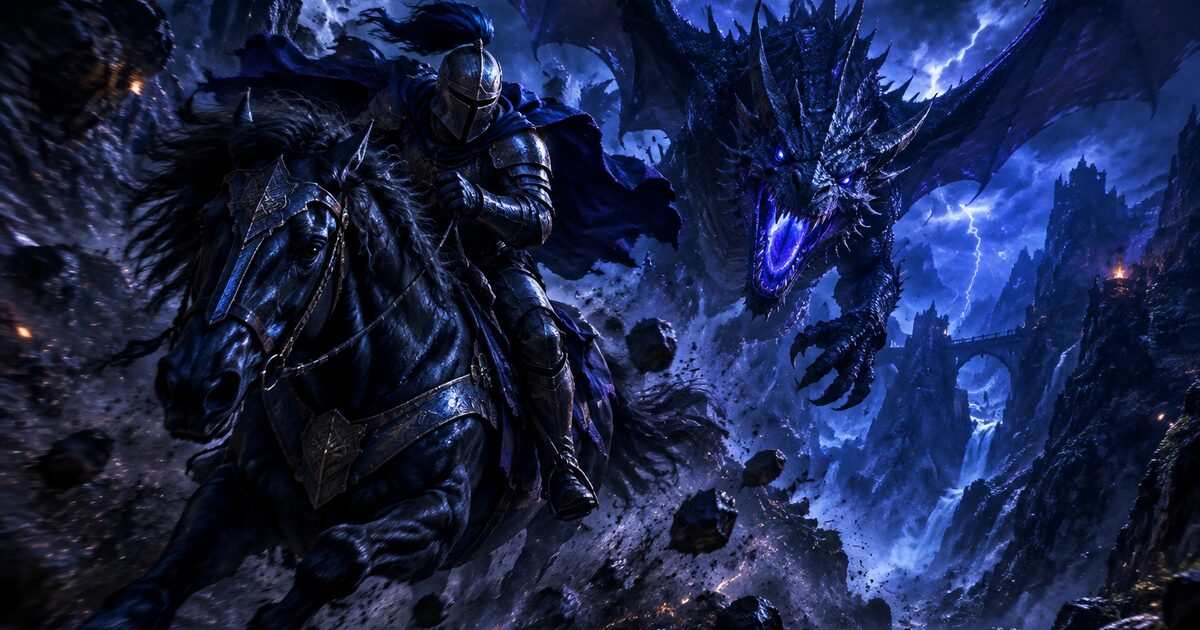
Every fandom has its big set pieces: the final battle, the escape, the moment the hero finally flies. Kling 4.0 suits these because it keeps motion coherent when a lot is happening on screen. A dragon banking through a canyon or a knight sprinting toward the camera holds together instead of melting.
Pair it with a cast you have already chatted with. When you know how your characters talk and what they fear, you can write an action beat that means something, such as the cautious one finally taking the leap, and Kling 4.0 will give it the scale it deserves.
Sir Rowan, a young knight in dented silver armor, races on foot through a stormy canyon as Ember, a red dragon, swoops low behind him. He turns, raises his shield and the camera orbits as Ember pulls up at the last second, roaring into the rain.
How to use Kling 4.0 in KOORI
You can try Kling 4.0 without setting up anything technical. KOORI handles the connection, the prompt formatting and the character references, so you can focus on the story.
The difference between trying Kling 4.0 on its own and trying it in KOORI is the cast. Instead of starting every clip from a blank prompt, you film characters who already have a face, a personality and a history from your chats. That makes it much easier to keep the same hero across many Reels and to build a series fans can follow, one episode at a time.
From character to finished Reel
- Step 1: Pick or create your cast. Open the Reel creator and choose up to a few characters you made or found in Discover. Their saved pictures become the visual reference for every shot.
- Step 2: Choose Kling 4.0 in the model picker. Tap the clapperboard button next to the idea box. Each model shows its coin price per second and a short note about speed and quality before you spend anything.
- Step 3: Describe one clear moment. Write who is there, what changes and how it ends. One situation with a final beat works better than a list of events.
- Step 4: Pick a length and format. Choose a runtime and a format such as a trailer, a short scene or a slice of life. The total price updates before you confirm.
- Step 5: Generate and keep going. A reveal card shows the story paragraph that is being filmed. Filming continues in the background, so you can go back to your chat while it renders.
- Step 6: Share or download. Finished Reels land in Library, where you can quick play them, download the file for Instagram or TikTok, or share a link.
Tips for better results with Kling 4.0
Describe the camera. Kling 4.0 responds well to clear directions such as a slow push in, a low angle or an orbit around the characters.
Give action a beginning and an end. A move that starts, peaks and resolves reads far better than continuous chaos.
KOORI only ever films with the model you picked. If a provider has a temporary technical problem, KOORI may finish the job with its default video model instead of leaving it stuck, and the finished Reel shows which model made it. Safety rejections are never retried on another model.
Kling 4.0 or another model?
Every model has a personality of its own. Kling 4.0 is one of several video models available in KOORI, and the right choice depends on whether you care most about speed, price or detail for a given scene. Compare them side by side with the same character to find your favorite.
Kling 4.0 FAQ
What is new in Kling 4.0?
Kuaishou highlights steadier large-scale motion, native generation up to 30 seconds and Omni Reference with up to 15 reference assets and 10 keyframes.
Why is Kling 4.0 the default in KOORI?
It finishes jobs reliably and handles motion well. If you prefer speed, Seedance 2.0 Fast is quicker; for maximum polish with sound, try Seedance 2.5.
What resolution are Kling 4.0 Reels in KOORI?
KOORI films vertical Reels at 720p to keep waiting times and prices reasonable.
Do I need my own account with the model maker?
No. KOORI connects to the model for you and charges KOORI coins, so you do not need a separate API key, subscription or credit card with the maker.
Sources and further reading
Kling 4.0 is a product of Kuaishou (Kling AI). KOORI is not affiliated with or endorsed by Kuaishou (Kling AI). Model availability, prices and speeds can change; check the current app before relying on a specific detail.
More from KOORI Journal